Description
Specifications Table
Feature
Specification
Product Name
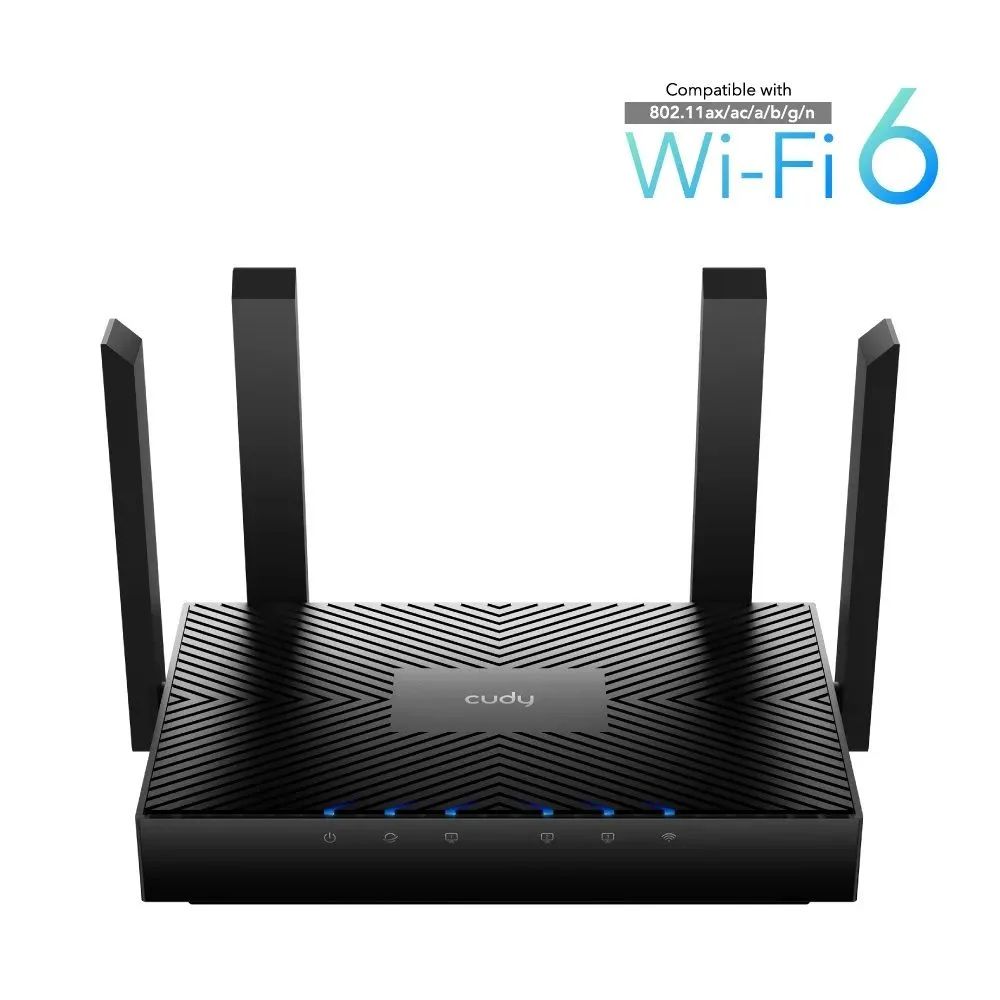
Cudy WR3000 AX3000 Gigabit Dual Band Smart Wi-Fi 6 Router
Brand
CUDY
Wireless Standards
IEEE 802.11ax/ac/n/a 5 GHz, IEEE 802.11ax/n/b/g 2.4 GHz
Wi-Fi Speeds
AX3000 (2402 Mbps on 5 GHz, 574 Mbps on 2.4 GHz)
Antennas
4 × Fixed Omnidirectional Antennas (5 dBi gain each)
Frequency
2.4 GHz & 5 GHz (Dual Band)
Processor
Dual-Core 1.3 GHz CPU (e.g., MediaTek or similar high-performance chipset)
Memory
256 MB DDR3 RAM, 128 MB Flash
Interfaces
1 × 10/100/1000 Mbps WAN Port
3 × 10/100/1000 Mbps LAN Ports
Buttons
WPS Button, Reset Button
Wireless Features
Enable/Disable Wireless Radio, WMM, OFDMA, MU-MIMO, Beamforming, Smart Connect, Target Wake Time (TWT)
Wireless Security
WEP, WPA/WPA2, WPA-PSK/WPA2-PSK, WPA3
Operating Modes
Router Mode, Access Point Mode
Advanced Functions
Parental Control, QoS (Quality of Service), Guest Network, VPN Server (OpenVPN, PPTP, L2TP), VPN Client (OpenVPN, PPTP, L2TP), Dynamic DNS, Static IP, PPPoE, Port Forwarding, NAT, Firewall, Access Control
Network Protocols
IPv4, IPv6
Management
Web UI, Cudy App
Operating System Support
Microsoft Windows, macOS, NetWare, UNIX or Linux, Android, iOS
Power Supply
External Power Adapter: 12V 1.5A
Dimensions (W × D × H)
200 × 117 × 35 mm (7.87 × 4.61 × 1.38 inches) – Antennas not included
Weight
Approximately 450 g (excluding power adapter)
Operating Temperature
0℃~40℃ (32℉~104℉)
Storage Temperature
-40℃~70℃ (-40℉~158℉)
Operating Humidity
10%~90% non-condensing
Storage Humidity
5%~90% non-condensing
Color
Black
Package Contents
Cudy WR3000 Wi-Fi 6 Router, Power Adapter, Ethernet Cable, Quick Installation Guide
Simple Setup Guide
Setting up your Cudy WR3000 AX3000 router is straightforward:
Connect Hardware:
Plug in the power adapter and connect the WAN port of the router to your modem using the provided Ethernet cable.
Connect Devices:
Connect your computer to one of the LAN ports or join the default Wi-Fi network (SSID and password usually found on a sticker on the router).
Configure:
Open a web browser and navigate to the default router IP address (e.g.,
192.168.10.1
or
cudy.net
). Follow the on-screen Quick Setup Wizard to configure your internet connection and Wi-Fi settings.
Enjoy:
Once configured, your high-speed Wi-Fi 6 network is ready for use!


Reviews
There are no reviews yet.